Through
An AI-powered art exploration tool that lets users discover relationships between artworks by following their own curiosity
Built during Digital Product Design Fellowship at MoMA
Through reimagines how we develop visual literacy and build personal understanding of art. While conceptualizing this tool around MoMA's collection and learning challenges, I prototyped using the Metropolitan Museum's open access collection—their 400,000+ artworks provided an ideal foundation to validate the concept.
The approach is fully transferable—the underlying principle of semantic query expansion and relationship mapping works across any museum collection.
Role Product Designer, UX Researcher, Developer
Duration 3 weeks
Tools Gemini 2.5 Flash Lite, Met Open Access API, Google AI Studio
A persistent tension in how people engage with art museums
During my time at MoMA, I observed challenges validated by the institution's search and learning research:
Traditional museum experiences are curator-driven. Visitors follow predetermined paths through galleries, organized by period, geography, or medium. Wall labels tell them what to think. The institution's voice dominates.
Digital collections create a paradox of overwhelm. The MoMA has 106,000+ artworks online, yet research showed users struggle to find and understand them:
- When tasked with finding "paintings," success rates dropped to 64.9% on desktop and 76.5% on mobile—meaning nearly 1 in 4 users failed to complete their search task
- Users reported that browsing by department or keyword returns results but doesn't reveal relationships, connections, or deeper meaning
- The existing interface prioritizes search completion over understanding. More results, but not more insight.
Art learning remains gatekept by knowledge barriers. MoMA's research on visitor intent revealed telling gaps:
- 28% come to complete school assignments
- 22% come to research (often because they feel they have to)
- Only 11% come motivated by intrinsic desire to "look at and learn about art"
- 61% reported feeling they lacked the background knowledge or vocabulary to engage confidently with art
Thematic exploration hits a hard wall. When users search for conceptual ideas—"women photographers," "AI artists," "grief," "power," "loneliness"—the current system can't help. The Met's metadata uses descriptive fields (artist names, materials, subjects) but has no bridge to how people actually think about art.
What we know shapes what we see.
If people had control over their own conceptual lens, they could practice building understanding on their own terms—transforming the collection from a searchable database into a space for learning through exploration.
Democratize visual literacy
Create a tool that lets users:
- Explore art through their own conceptual lenses (not institutional categories)
- Discover unexpected relationships between artworks
- Build understanding through exploration, not instruction
- Practice seeing actively, not consuming passively
- Develop confidence in their own interpretation
Guiding philosophy: John Berger's Ways of Seeing — "The way we see things is affected by what we know or what we believe." The tool should make this visible, showing how our chosen lens reveals different aspects of art.
Initial Concepts
I explored several approaches to art discovery:
1. Emotion Mapper
Input how you're feeling, get artworks that mirror or balance that emotional state. This was closer—using personal experience as an entry point—but felt one-dimensional. A single artwork-to-emotion mapping didn't show relationships or build understanding over time.
2. Serendipity Engine
Describe what you see in an artwork, AI finds similar pieces. This preserved personal interpretation but lacked structure. Users needed a framework for discovery, not just randomness.
3. Art in Society
An equity lens tool that researches and maps out the history of ownership of a piece of art. The user starts searching by location, and sees an artwork that originated there to then track it through time. I didn't go ahead with this as it felt too niche and didn't seem to have mass appeal, it also seemed too large to tackle in terms of finding reliable sources.
Relationship Mapping
The turning point came when I considered how art historians actually work—they trace influences, identify movements, map stylistic evolution. What if users could do the same, but through their own conceptual lenses?
I sketched various relationship visualization approaches:
- Linear paths (too restrictive)
- Network graphs (too chaotic)
- Mapped grid (too much cognitive load)
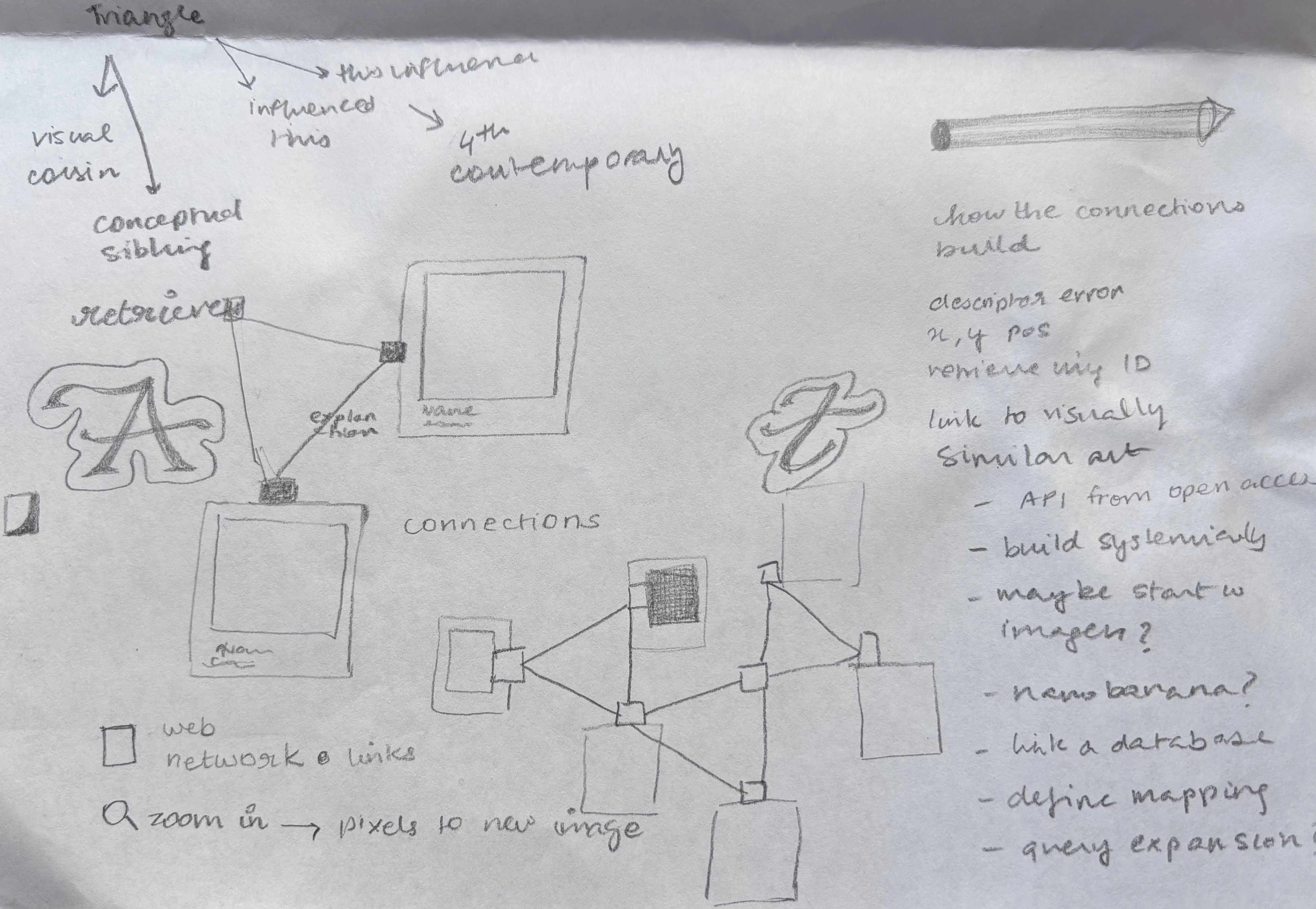
- Triangles (just right—structured but expandable)
Why triangles?
- Three is the minimum for showing multiple relationships
- Creates beautiful, organic patterns as they branch
- Geometric clarity without overwhelming complexity
- Each point can become a new center
The Triangle Structure
       [Artwork]
            △
           ╱ ╲
          ╱   ╲
     [Art]  ●  [Art]
Three artworks, three different relationships to the same concept. This structure:
- Shows breadth (multiple interpretations of one idea)
- Encourages comparison (three different approaches side-by-side)
- Enables endless branching (click any artwork to explore deeper)
Alternative considered: Showing why artworks connect only on click—relationships are hidden until clicked—putting the user's seeing first. I decided against this as it adds an unnecessary step to the user flow which might add to the cognitive load of the user and take away from the primary goal of discovery. Instead, I decided to show why artworks connect by default.
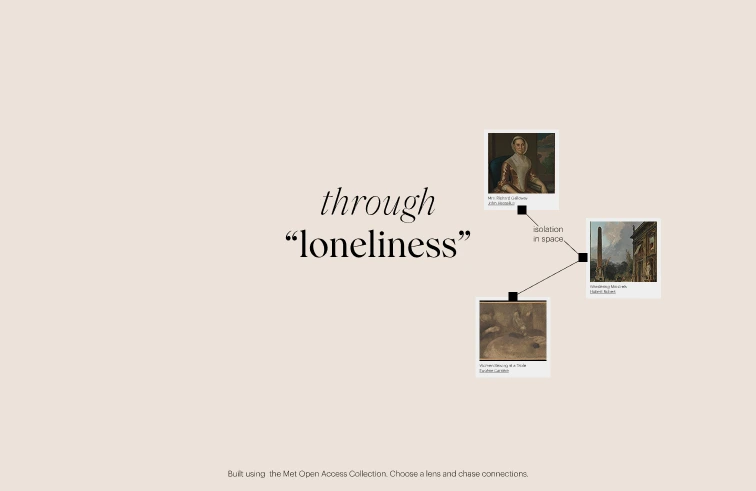
Early iterations let users switch between "modes" (visual similarities, historical influences, emotional tones). I simplified it to one lens defined at the start.
Why?
- Forces focus and builds on genuine curiosity in one area
- Creates a coherent, meaningful collection
- Mirrors how scholars work—deep investigation triggered by a core question
- Reduces cognitive load; pure exploration after initial choice
The entire interaction model:
- Type your lens once
- Click artworks to branch
- Click connections to edit and input your own perspective
That's it. No configuration, no settings, no barriers between curiosity and discovery.
Five Core Interactions
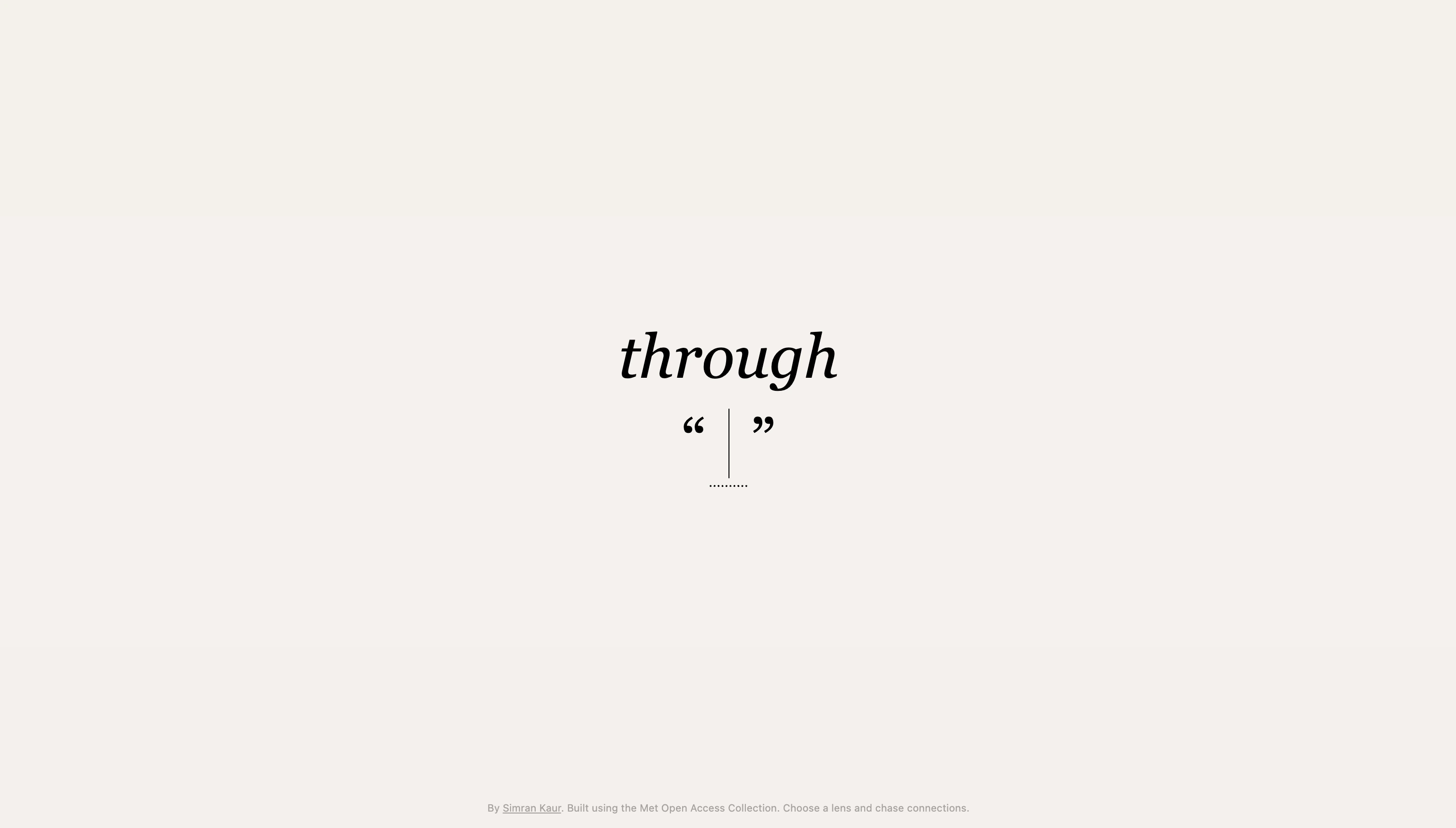
User types any concept—"loneliness," "power," "grief"—into a centered input field. The empty quotes visually communicate "fill in the blank." The interface begins with just the title "through" in italic serif and an invitation to choose a lens.
Three artworks from the Met's collection appear in a triangle formation, each semantically connected to the user's concept through AI analysis. Gemini 2.5 Flash Lite bridges the gap between abstract concepts and descriptive metadata.
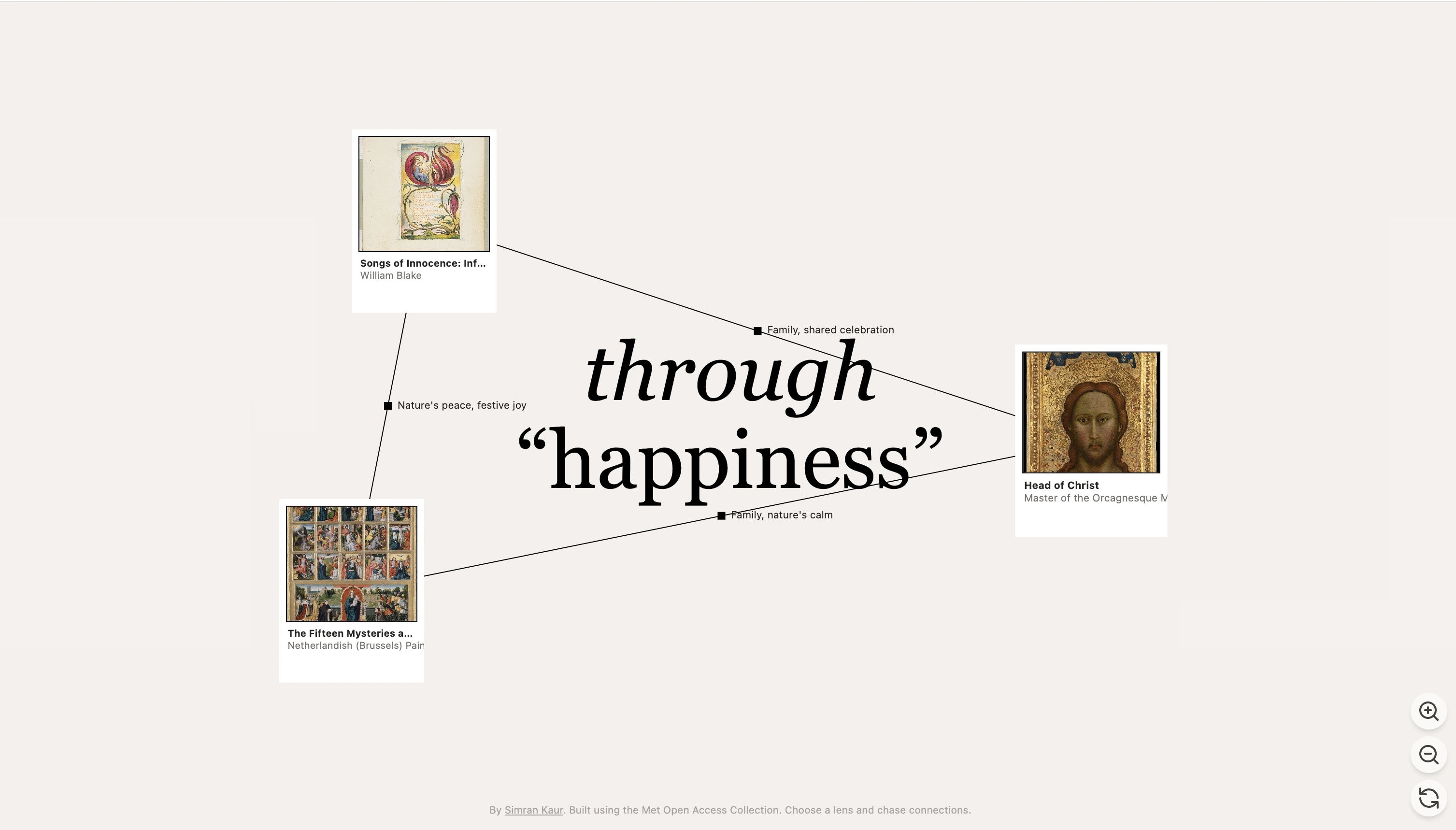
Clicking any artwork creates a new triangle branching from that point. Previous triangles remain visible, creating a visual trail of discovery. Each path is unique to the user's curiosity.
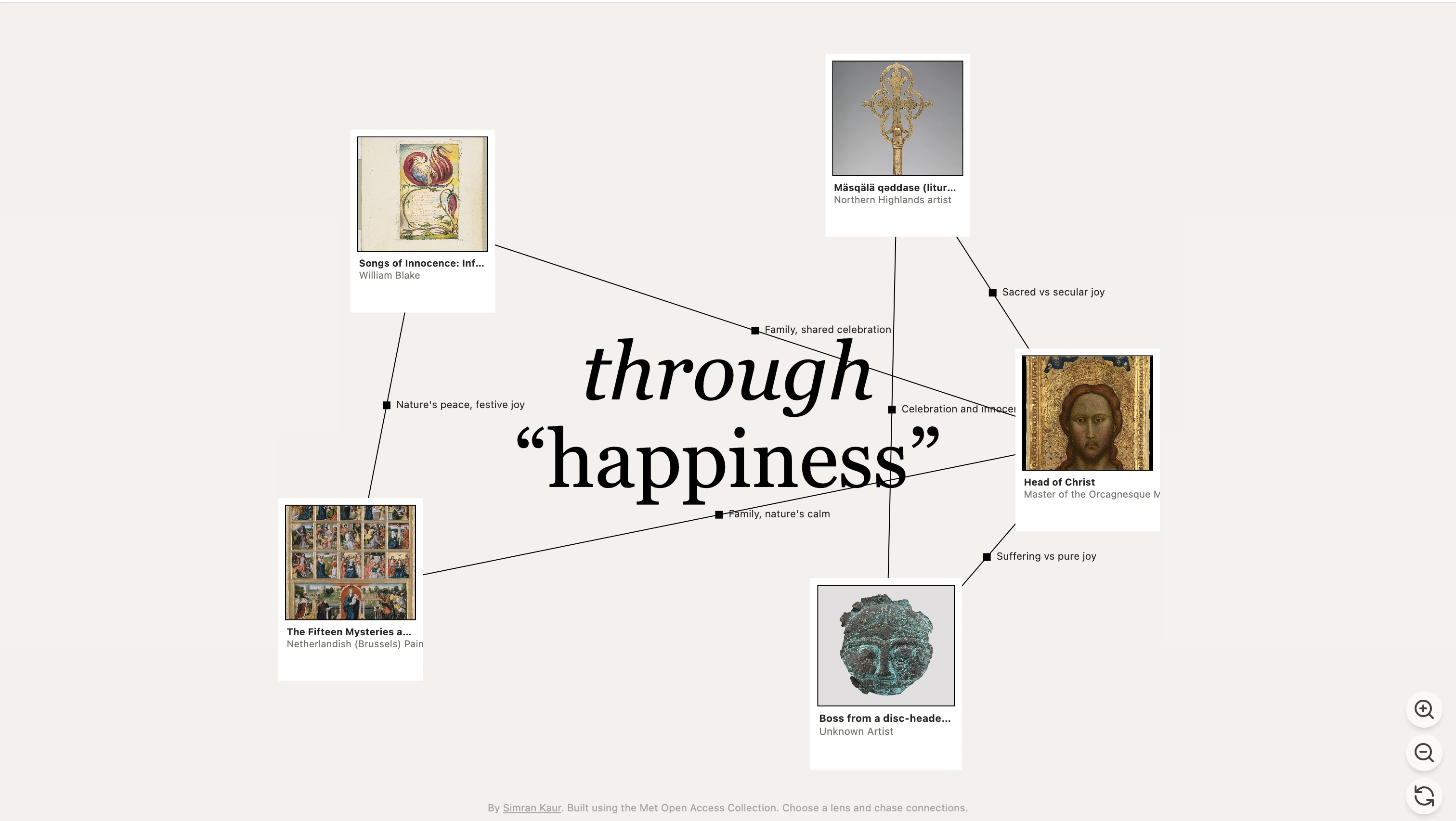
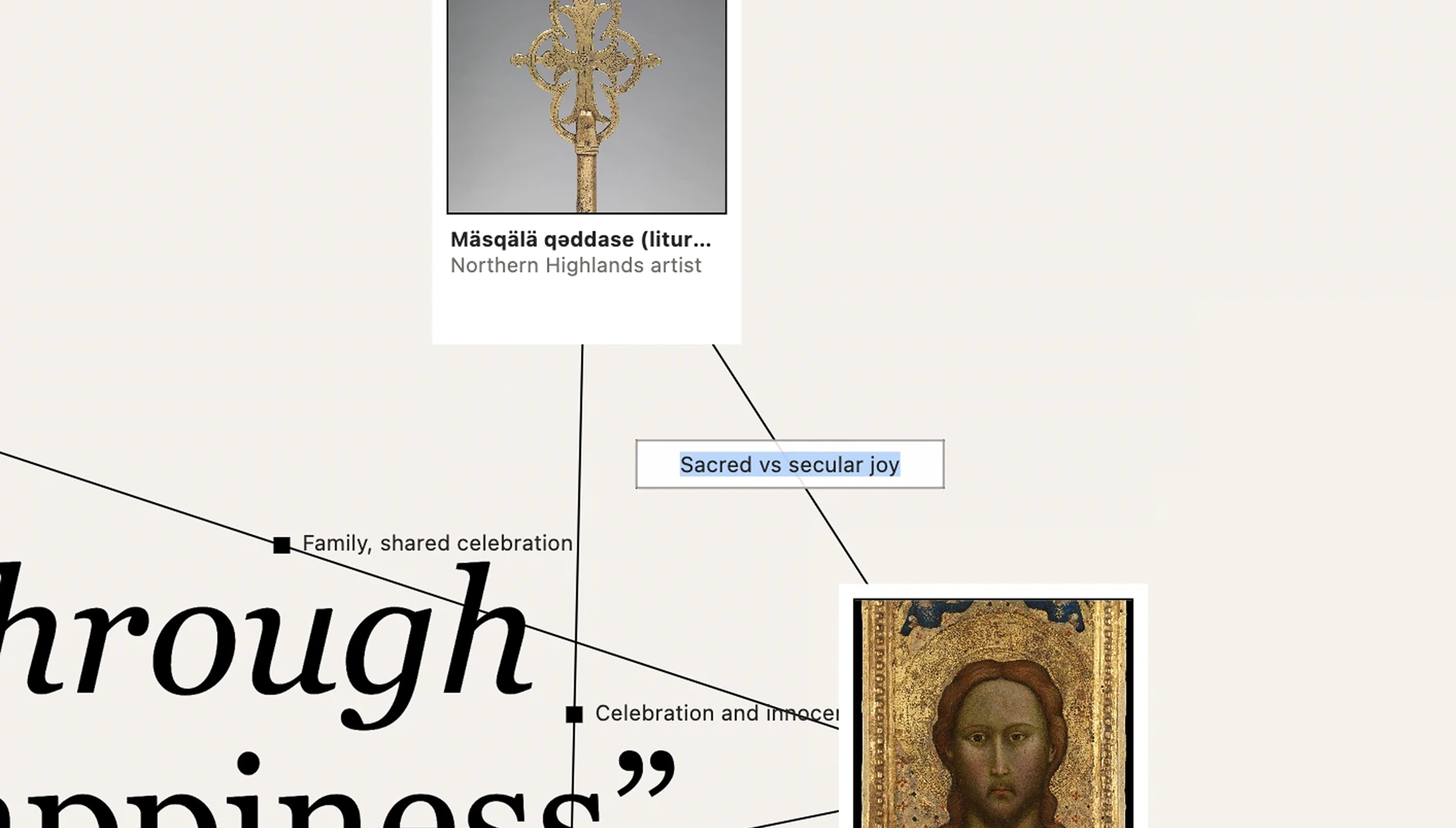
Click connecting lines to edit AI-generated relationships between artworks. Labels are persistent and editable—your map becomes an annotated record of what you've learned, not just what you've seen.
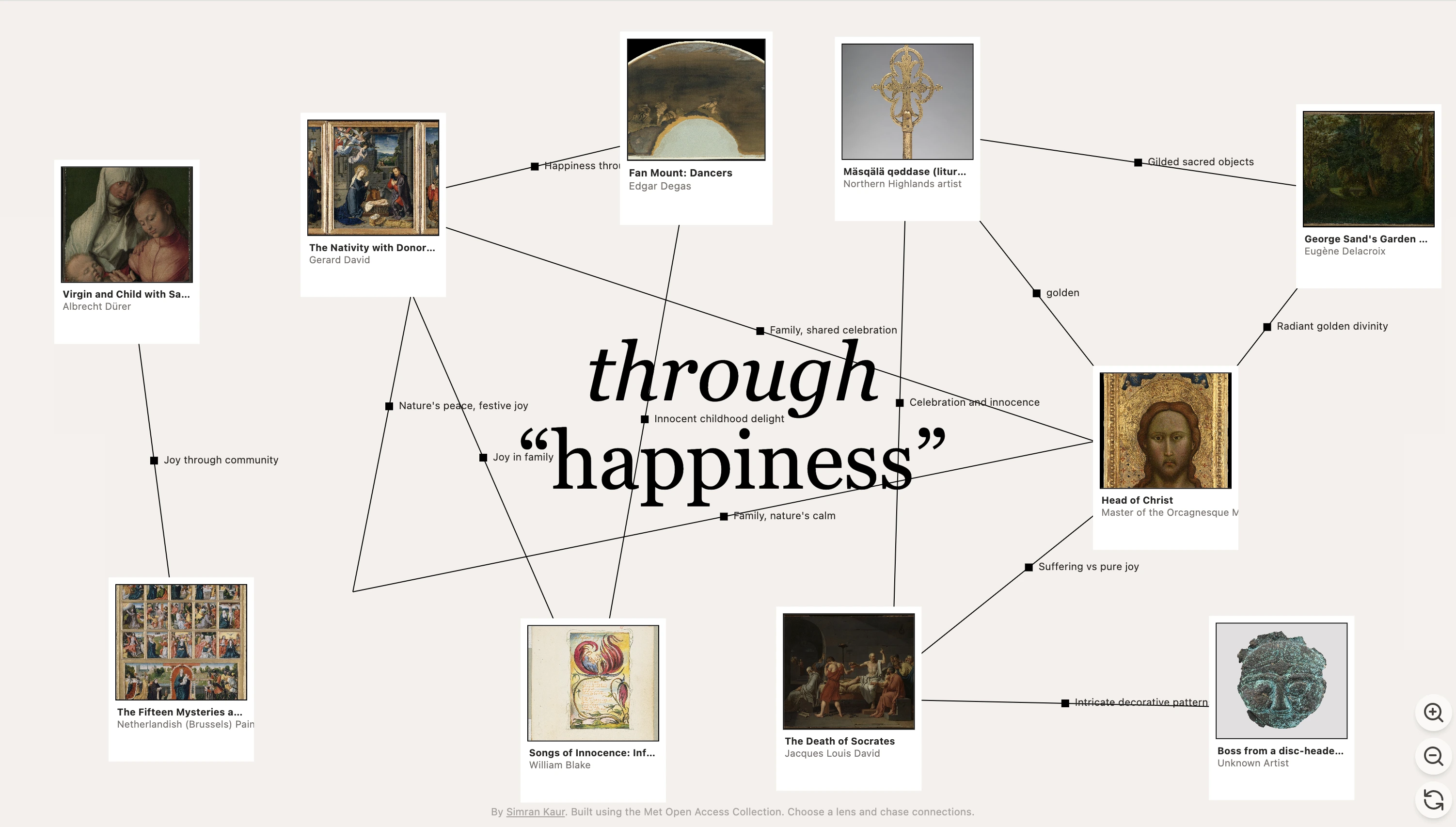
Over time, users build a sprawling web of artworks exploring a single concept through different cultural lenses.


Smart Query Expansion: Solving the Metadata Gap
The most critical technical challenge mirrors MoMA's research finding: the Met's collection uses descriptive metadata (artist names, materials, subjects), not abstract concepts. Yet 61% of visitors want to explore thematically.
Solution: Two-stage AI process that bridges semantic and curatorial languages
Stage 1: Semantic bridging
This expansion allows abstract concepts to surface real artworks without requiring the Met to retag their entire collection.
Stage 2: Relationship analysis
This two-stage approach ensures:
- Users can explore any concept, no matter how abstract
- Results maintain connection to real, searchable artworks
- Each exploration builds a thematic collection, not scattered results
- Diverse representational approaches (different artists, cultures, media) within each lens
- Cache Met API responses (artworks don't change)
- Lazy load images as they come into viewport
- Limit initial query expansion to 10-15 terms (balance semantic breadth with API efficiency)
- Sample 100 artworks for AI analysis (balance variety with speed)
Simplicity Enables Depth
My initial designs included multiple modes, filters, and configuration options. Stripping everything back to one lens + one interaction (click to branch) made the tool more powerful, not less. Users could go infinitely deep instead of getting distracted by options.
This mirrors MoMA's search research: when users have too many filtering options, they abandon tasks. Constraint creates focus.
Hide AI Intelligence, Show User Intelligence
The AI does complex work (query expansion, semantic matching, relationship analysis), but none of that is visible. What's visible is the user's journey—their questions, their path, their discoveries. The AI is infrastructure, not the experience.
Berger Was Right: Lens Shapes Vision
Testing the tool confirmed Berger's insight: what you're looking for shapes what you see. The same artwork revealed completely different facets when approached through "power" vs "grief" vs "hands." Giving users control over their lens gave them ownership of their understanding.
One user explored "hands" for 40 minutes, building a web of 30+ artworks across multiple branches. Afterward, they said: "I never thought about how much hands say in art. Now I can't stop noticing them." That's not just consumption—that's the practice of visual literacy.
1. Collection Export & Saving
Current state: Your exploration exists only in the current session.
Enhancement:
- Download your entire map as a high-resolution image
- Save explorations to return to later
- Export as structured data (CSV of artworks + relationships)
- Share a link to your exploration for others to view
Why this matters: Makes the learning tangible. Your map becomes an artifact you can reference, share, or include in presentations/papers.
2. Personal Journal Feature
Add space for reflection alongside exploration:
- Note your observations on each artwork
- Record why certain connections surprised you
- Document how your understanding evolved
- Tag artworks with your own keywords
Visual concept:
Creates a true "of one's own" experience—not just exploring, but documenting your unique relationship with each piece.
3. Relationship Transparency
Current: AI generates relationship labels, but doesn't explain why
Enhancement: Click a label to see AI's reasoning:
Turns the tool into an active teaching instrument while maintaining user-first discovery.
4. Exploration Modes (Settings)
Give users control over how artworks connect:
Historical Connections
- Teacher → student relationships
- Contemporaries from same movement
- Artists who influenced each other
Visual Connections
- Similar composition structures
- Related color palettes
- Shared techniques/materials
Thematic Connections
- Same subject matter across cultures
- Related symbolic meanings
- Parallel historical contexts
Conceptual Connections (current default)
- Interpretations of user's lens
- Abstract relationships
Implementation:
Why this matters: Different goals for different users. Art students might want historical lineage. Teachers preparing lessons might want thematic groupings. Casual explorers might want conceptual connections. This honors the 61% who want to engage with art on their own terms.
5. Guided Explorations
Curated starting points:
- "Explore grief across cultures"
- "Trace the influence of Japanese prints on Impressionism"
- "Discover representations of labor through time"
Each comes with an expert-written introduction, but then users explore freely, building their own understanding.
6. Collaborative Maps
Social feature:
- Start an exploration with a friend
- Both can branch triangles from the same map
- See each other's paths through different colors
- Compare interpretations and relationship labels
Creates dialogue around art—making meaning together. Directly addresses the 28% of users coming for assignments and 22% coming to research—giving them tools to explore collaboratively.
A shift in how digital tools can support learning
From consumption to practice. Not a database to search, but a space to develop your own way of seeing—directly responding to MoMA's finding that only 11% of users come with intrinsic motivation to learn about art. Through flips that: it makes learning the primary activity, not an afterthought.
From authority to autonomy. Not the museum's narrative, but your questions driving discovery. This honors the gap MoMA identified: people don't want more curatorial guidance; they want to practice making their own meaning.
From information to understanding. Not "here are 50 artworks about loneliness," but "here's how loneliness has been understood across cultures and time—discover the patterns yourself." Builds the visual literacy that 61% of visitors said they lacked.